Akeye · Bookings & Operations

Bookings & Operations

Manage bookings, availability, maintenance and everyday operations in one place. Connect the resource, the dates and the people preparing the next stay, departure or pickup.

Properties, boats & vehicles

For property managers, charter teams and vehicle operators. Explore the shared work around each booking, with industry-specific capabilities confirmed for your setup.

Made for your day-to-day

Three sectors. One connected way of working.

A stay, a sailing day or a vehicle handover each creates practical work. Bring that work into view, with a setup matched to your market.

From the plan to the handover

From booking to completed task.

Start with the resource, check the plan and make the work around it clear to the people responsible.

  1. Asset

    Identify the property, boat or vehicle.

  2. Availability

    Review the dates and existing commitments.

  3. Reservation

    Agree the booking or planned handover.

  4. Activities

    Assign preparation, checks and follow-up.

  5. Ready / Completed

    Review the work and record completion.

For example: a confirmed apartment stay gives reception a date to plan around. The team assigns cleaning and a final check, records progress and prepares the property for arrival.

An explanatory workflow, not automatic task creation or a universal booking engine. Property reservations are implemented; vessel and vehicle booking, availability and asset setup need a separate fit review.

Property Management

Every stay has a practical side.

Six familiar property-management moments, from a guest request to the next check-in. Keep the details and the people doing the work connected.

Guest profiles do not create app accounts. Published guides are readable by anyone with the active link and must contain only information suitable for sharing publicly. They are shared deliberately, without automatic reservation-based delivery.

From a guest request to a clear next step

A guest asks for breakfast the next morning through the contact channel your accommodation already uses. The property team records the request as an activity, connects the relevant accommodation or reservation where supported, and assigns someone to follow up.

Authorized team members discuss the request in the appropriate work conversation and keep the next step visible. The owner can see who is handling it and coordinate the service, with practical details connected to the accommodation’s daily work.

Explore this workflow
Illustrated breakfast request and property-team follow-up scenario.
Scenario illustration, not an exact product screenshot. Depicted interface details are illustrative; the adjacent text describes supported behavior.

All open tasks in one place

The owner opens the work order overview and immediately sees what still needs attention: room cleaning, refrigerator repair, light bulb replacement, or towel restocking.

Instead of tasks getting lost in calls, notes, and group chats, every work order has its own status, priority, and due date. The owner can easily see what is urgent and what is already in progress.

Explore this workflow
Property owner reviewing open work orders in the app.
Scenario illustration, not an exact product screenshot. Depicted interface details are illustrative; the adjacent text describes supported behavior.

Cleaning confirmed with a checklist

The cleaner opens the room task and checks off every required step: the bed is made, the bathroom is cleaned, the trash is emptied, and the towels are replaced.

Once finished, the cleaner completes the assigned activity so the team can review the work. The owner or front desk can check the completed steps and coordinate the remaining preparation before welcoming the next guest.

Explore this workflow
Illustrated cleaner completing a room-cleaning activity and checklist.
Scenario illustration, not an exact product screenshot. Depicted interface details are illustrative; the adjacent text describes supported behavior.

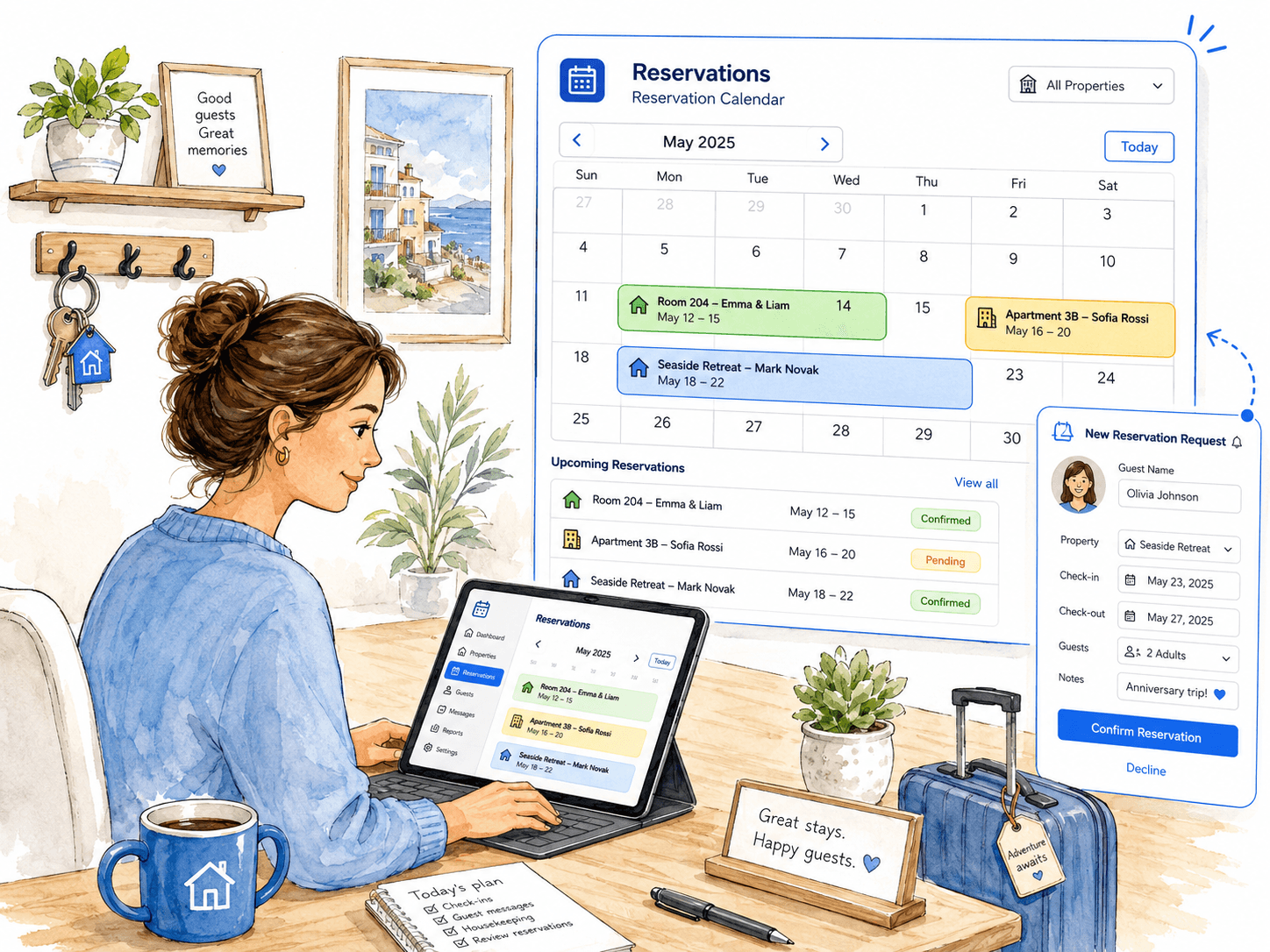
Reservations clearly organized in one calendar

The owner opens the reservation calendar and immediately sees which properties are booked, which stays are coming up, and which requests still need confirmation.

Authorized staff review reservation records, dates, accommodation and notes, then confirm or update the stay. Keeping those details together helps the team plan around arrivals, departures and availability, from the first recorded request through check-in.

Explore this workflow
Property owner reviewing reservations and new booking requests in the app.
Scenario illustration, not an exact product screenshot. Depicted interface details are illustrative; the adjacent text describes supported behavior.

Multilingual Guest Guides and useful answers

The team prepares a digital Guest Guide with house rules, parking directions, breakfast information, local tips and general arrival or departure guidance. Public information belongs here; passwords, door codes and private guest data do not.

Prepare translations in English, Slovenian, Italian, Croatian or German, then explicitly publish and manually share the guide link through your chosen channel. Readers see an available saved translation with fallback when needed. Anyone with the active link can read the guide; it is not restricted to a reservation.

Explore this workflow
Historical illustration of preparing and manually sharing a multilingual guest guide; the depicted interface is conceptual.
Scenario illustration, not an exact product screenshot. Depicted interface details are illustrative; the adjacent text describes supported behavior.

Clear check-in and check-out instructions for every stay

Prepare clear, general check-in and check-out guidance: the usual arrival time, where guests should go, whom to contact and what to do before leaving. Published Guest Guide items can hold information suitable for every reader of the shared link.

Before arrival, manually share the published link through your normal communication channel so guests can read the general guidance on their phones. Keep access codes and other sensitive instructions in an approved private channel, separate from the public guide.

Explore this workflow
Neutral illustration of a welcoming accommodation entrance, used for general arrival and departure guidance.
Scenario illustration, not an exact product screenshot. Depicted interface details are illustrative; the adjacent text describes supported behavior.
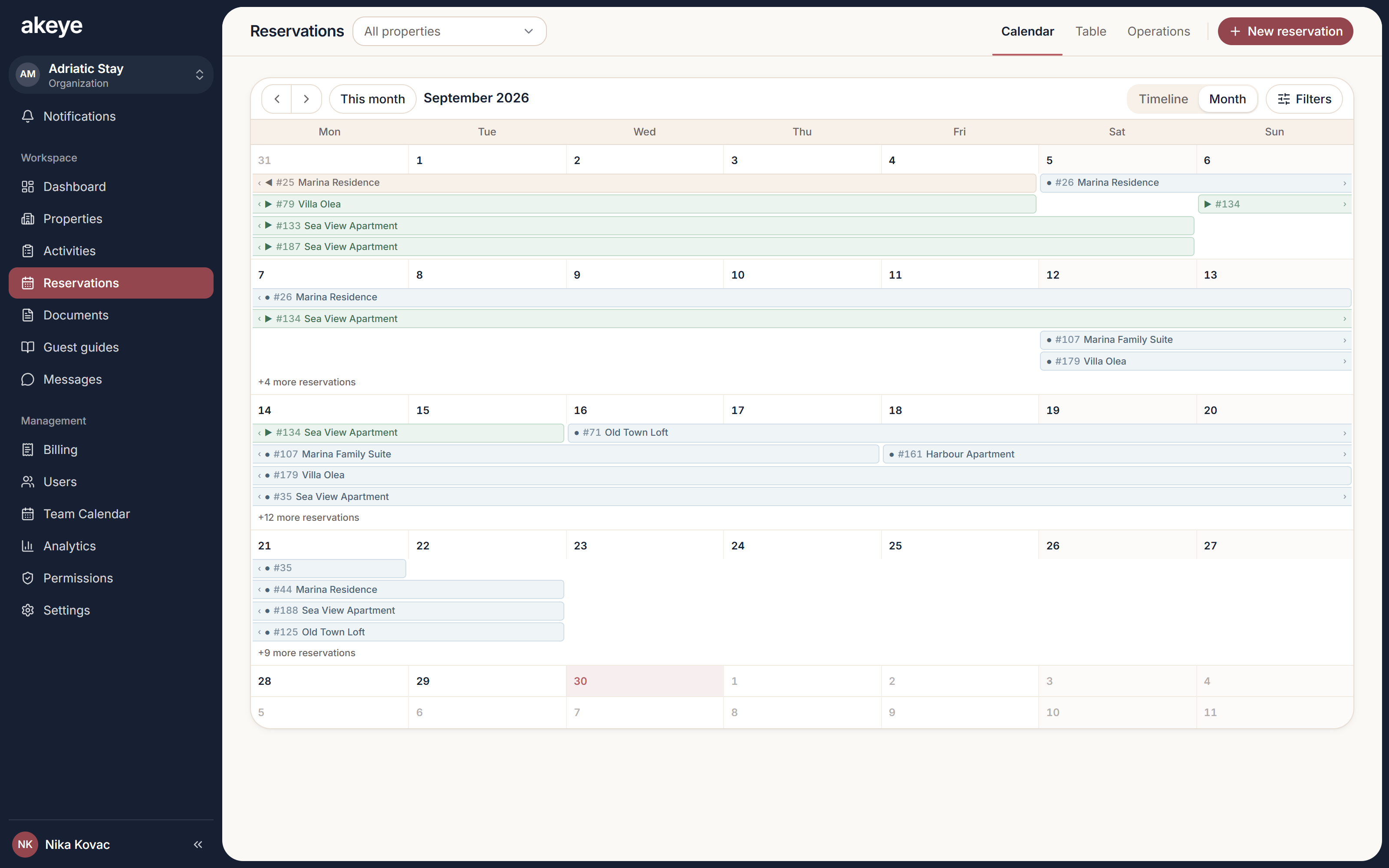
A real Akeye reservation calendar for planning accommodation and stays.

Maritime

A calmer plan before the next departure.

Give charter and vessel teams a shared picture of the work before and after a handover, using the existing activity and communication tools where they fit.

Maritime examples illustrate a configurable workflow. Dedicated vessel catalogs, live charter availability and a vessel reservation engine are not confirmed; asset structure, booking support, access and plan must be reviewed first. Artwork is conceptual.

Turn the handover plan into a working schedule

A charter coordinator starts with an agreed departure and return plan. Scheduled activities can give the preparation team a date, a responsible person and the practical notes needed before the next handover.

Use the shared activity calendar to discuss the work around those dates. Review how vessel records and booking information would be represented before relying on Akeye for charter reservations or live availability.

Scenario illustration, not an exact product screenshot. Depicted interface details are illustrative; the adjacent text describes supported behavior.

Prepare the vessel with clear responsibilities

Before guests arrive, the coordinator divides preparation into manageable activities: cabin cleaning, a supply check and a final presentation review. Each supported activity has an assignee, timing and useful context.

The team records progress and keeps questions in the activity conversation. The example uses shared task coordination; it does not promise that a booking creates work automatically or that every crew member sees every record.

Scenario illustration, not an exact product screenshot. Depicted interface details are illustrative; the adjacent text describes supported behavior.

Make the handover check easier to follow

Use a checklist within a preparation or return activity to make the agreed inspection steps visible. The responsible team member can work through the items and keep observations in the activity notes or conversation.

Agree which information belongs in the workflow and who can access it. A completed checklist records the team's work; it is not a certified survey, a signed charter contract or proof of regulatory compliance.

Scenario illustration, not an exact product screenshot. Depicted interface details are illustrative; the adjacent text describes supported behavior.

Give service follow-up a clear next step

An issue noticed during a return becomes a separate maintenance activity with a responsible person, due date and a clear description. Supporting notes help the next person understand what needs attention.

Keep the service discussion with the activity and review open work before planning the next handover. Completion is recorded by the team; there is no implied engine telemetry, automatic fault detection or vessel release decision.

Scenario illustration, not an exact product screenshot. Depicted interface details are illustrative; the adjacent text describes supported behavior.

Automotive

Keep the next pickup in view.

A vehicle's next commitment is only part of the picture. Explore how shared activities can organize preparation, return checks and service follow-up.

Automotive examples illustrate a configurable workflow. Dedicated vehicle catalogs, live fleet availability and a vehicle rental engine are not confirmed; asset structure, booking support, access and plan must be reviewed first. Artwork is conceptual.

Plan the work around the next vehicle booking

Start with an agreed pickup and return schedule, then plan the team's preparation activities around it. A named assignee and a clear time help reception and the preparation team discuss the same next step.

The existing activity calendar is a starting point for coordination. Confirm the vehicle structure and reservation support for your setup before treating it as a rental booking system or a source of real-time fleet availability.

Scenario illustration, not an exact product screenshot. Depicted interface details are illustrative; the adjacent text describes supported behavior.

Give pickup and return checks a consistent place

Create a preparation or return activity with a checklist for the agreed checks: cleaning, equipment and visible condition. The assigned person can work through the list and add notes where something needs attention.

Keep the handover discussion with the work so a colleague can follow up. These are operational checks, not a digital rental agreement, an electronic signature or an automated damage assessment.

Scenario illustration, not an exact product screenshot. Depicted interface details are illustrative; the adjacent text describes supported behavior.

Keep servicing from becoming a loose end

When a return check raises an issue, assign a service activity with a description and a due date. Keep the relevant observations together so the person arranging the work has enough context to take the next step.

Review open activities and record completion as the team works. This supports coordination; it does not imply mileage-based service automation, connected-car diagnostics, parts stock or automatic decisions about vehicle availability.

Scenario illustration, not an exact product screenshot. Depicted interface details are illustrative; the adjacent text describes supported behavior.

One booking. A team ready for what comes next.

The shared tools behind the work.

Use the existing core where it fits. Availability, reservations and industry-specific records vary by market; roles, enabled features and plan still govern access.

Use cases

Explore focused workflows

Explore the details behind these real-world scenarios.

A few useful answers

Does one solution mean identical features for all three sectors?

No. Bookings & Operations groups related everyday needs. Property Management has implemented stay reservations and a Guest Guide. Maritime and Automotive examples use the shared coordination tools as a starting point; vessel and vehicle records, booking support and access need a separate review.

Will a booking automatically create preparation tasks?

This page does not promise automatic booking-to-task creation. Teams plan and assign supported activities explicitly. We will review any integration or automation requirement before confirming a setup.

Where should we start?

Bring one real process: a property changeover, a vessel handover or a vehicle return. We will review the resource structure, dates, responsibilities, permissions and plan, and identify configuration or development needs.

Can guests read the guide without an account?

Yes. Anyone with an active published guide link can read that guide. Only share information suitable for everyone who may receive the link; never include access codes, passwords or private guest data.

Are reservations and the Guest Guide included in every plan?

No. Availability depends on the plan and supported add-ons. The pricing comparison shows the current inclusions, limits and add-on options.

What property operations can Akeye organize?

Akeye can connect properties and accommodation with reservations, operational activities, cleaning checklists and published guest information. Team messaging requires eligible accounts; a guest profile alone does not create an account or guest conversation.

Can teams track maintenance and cleaning work?

Yes. Work can be created as Activities with status, priority, timing, responsibility, notes and checklists, keeping the operational history connected to the property unit.

Can guests receive information linked to their stay?

Staff can deliberately share a published Guest Guide link containing general arrival or departure information. Anyone with the active link can read it: publication is not reservation-gated, delivery is manual, and private access codes or guest details must not be placed in the public guide.

Can reservations and operational tasks be viewed together?

Akeye can organize reservations around property units and help teams plan related work around arrivals, departures and availability. The exact setup follows the organization's reservation process.

Start with the work around your next booking.

Show us a property changeover, vessel handover or vehicle return. We’ll review what fits the existing platform and what needs configuration or further development.

Let’s talk about your workflow