Industries

Akeye for Property Management

Property management is not just about booking calendars. Every day, small operational details can quickly become messy - a guest asks for an extra service, a room needs cleaning, a refrigerator stops working, or someone needs clear check-in instructions.

Akeye helps owners and teams keep communication, tasks, and daily operations in one place. Guests receive the right information on time, the team knows what needs to be done, and the owner has a clear overview of everything that is still open.

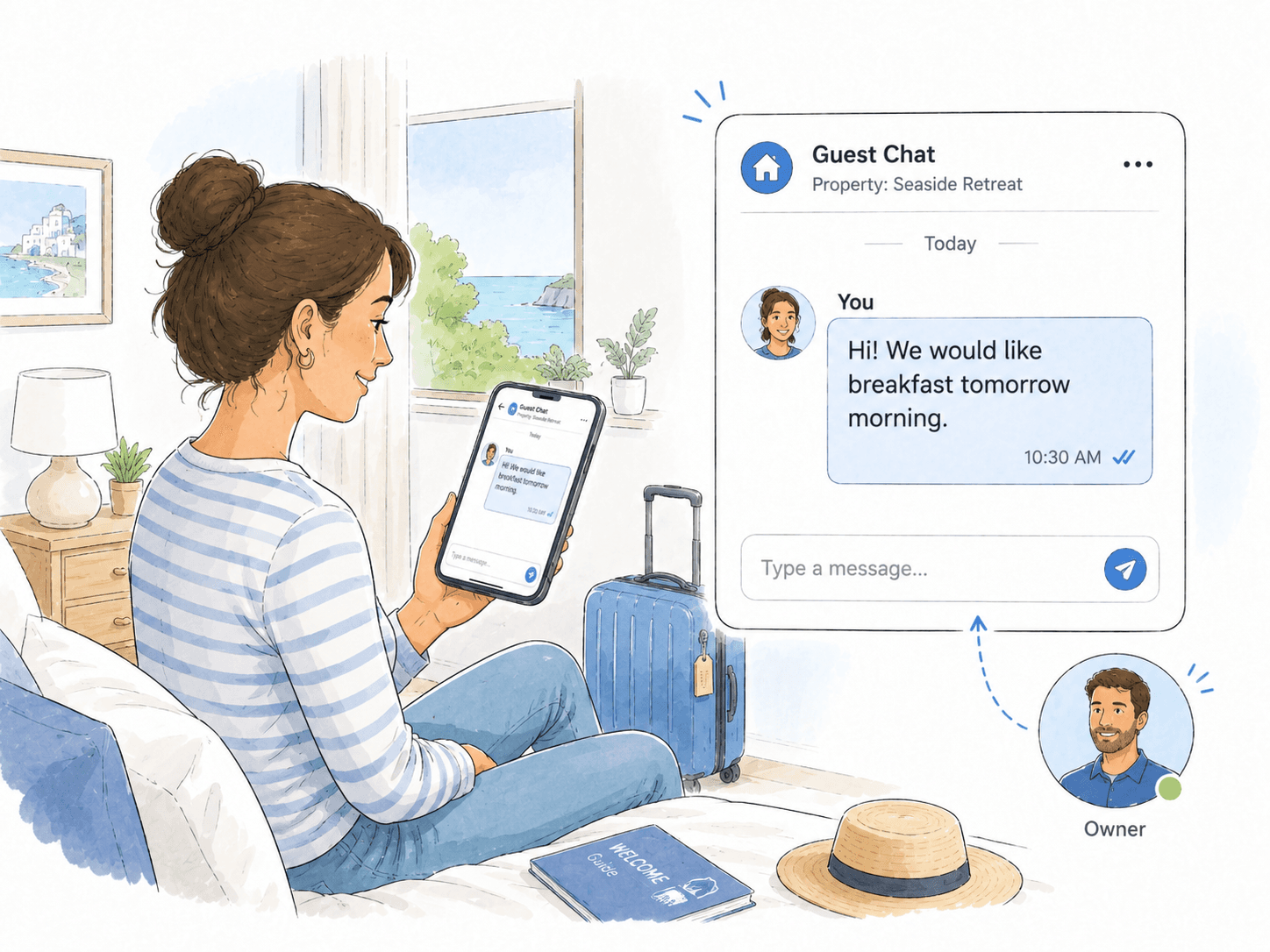
Guest sending a breakfast request to the accommodation owner through the app.

01

The guest asks, the owner sees it right away

The guest does not need to call or search through old messages. Through the app, they simply message the accommodation owner and ask for breakfast the next morning.

The owner receives a clear message connected to the right property and can quickly reply or organize the service. Communication stays structured and always linked to the guest and their stay.
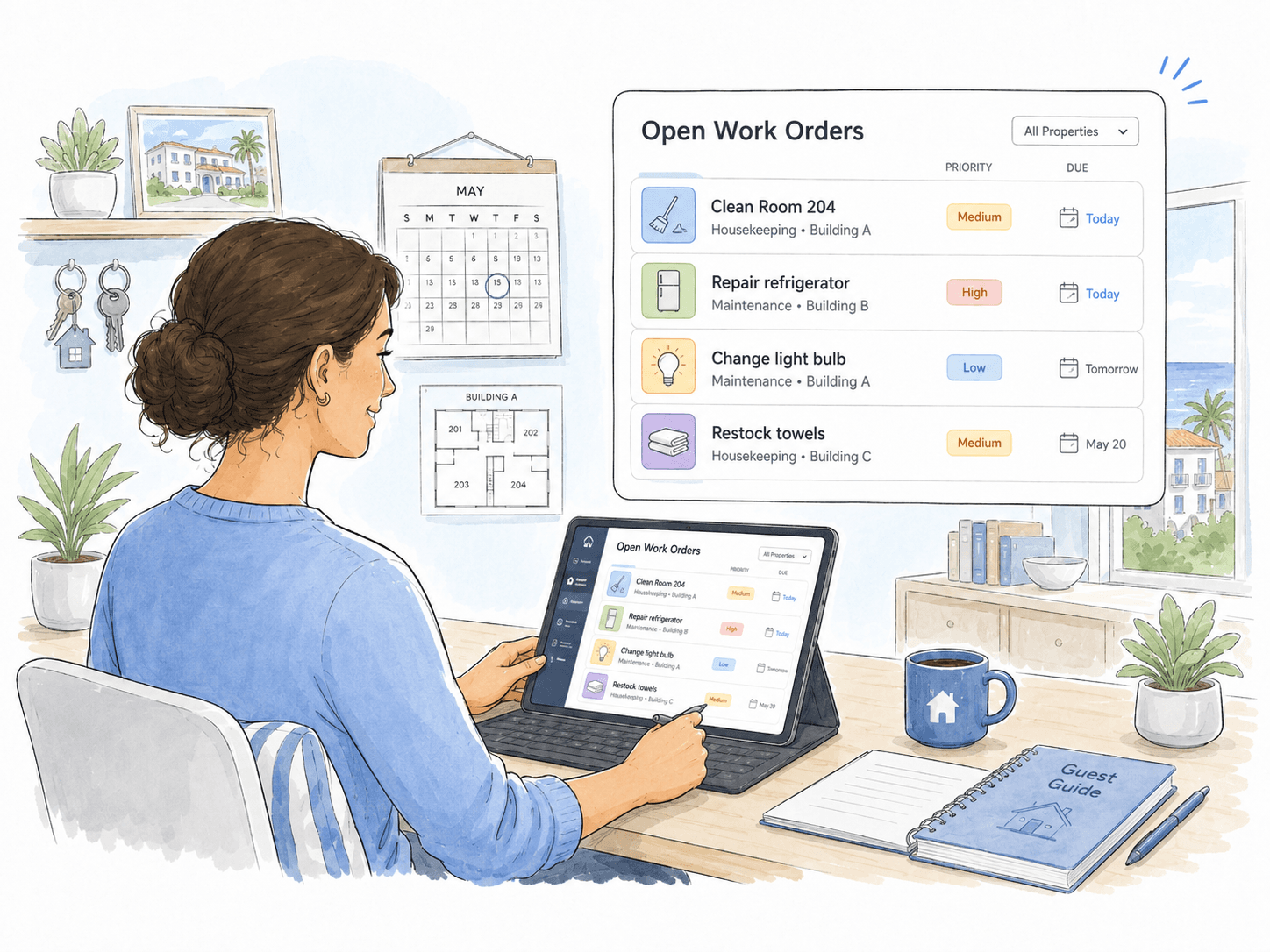
Property owner reviewing open work orders in the app.

02

All open tasks in one place

The owner opens the work order overview and immediately sees what still needs attention: room cleaning, refrigerator repair, light bulb replacement, or towel restocking.

Instead of tasks getting lost in calls, notes, and group chats, every work order has its own status, priority, and due date. The owner can easily see what is urgent and what is already in progress.

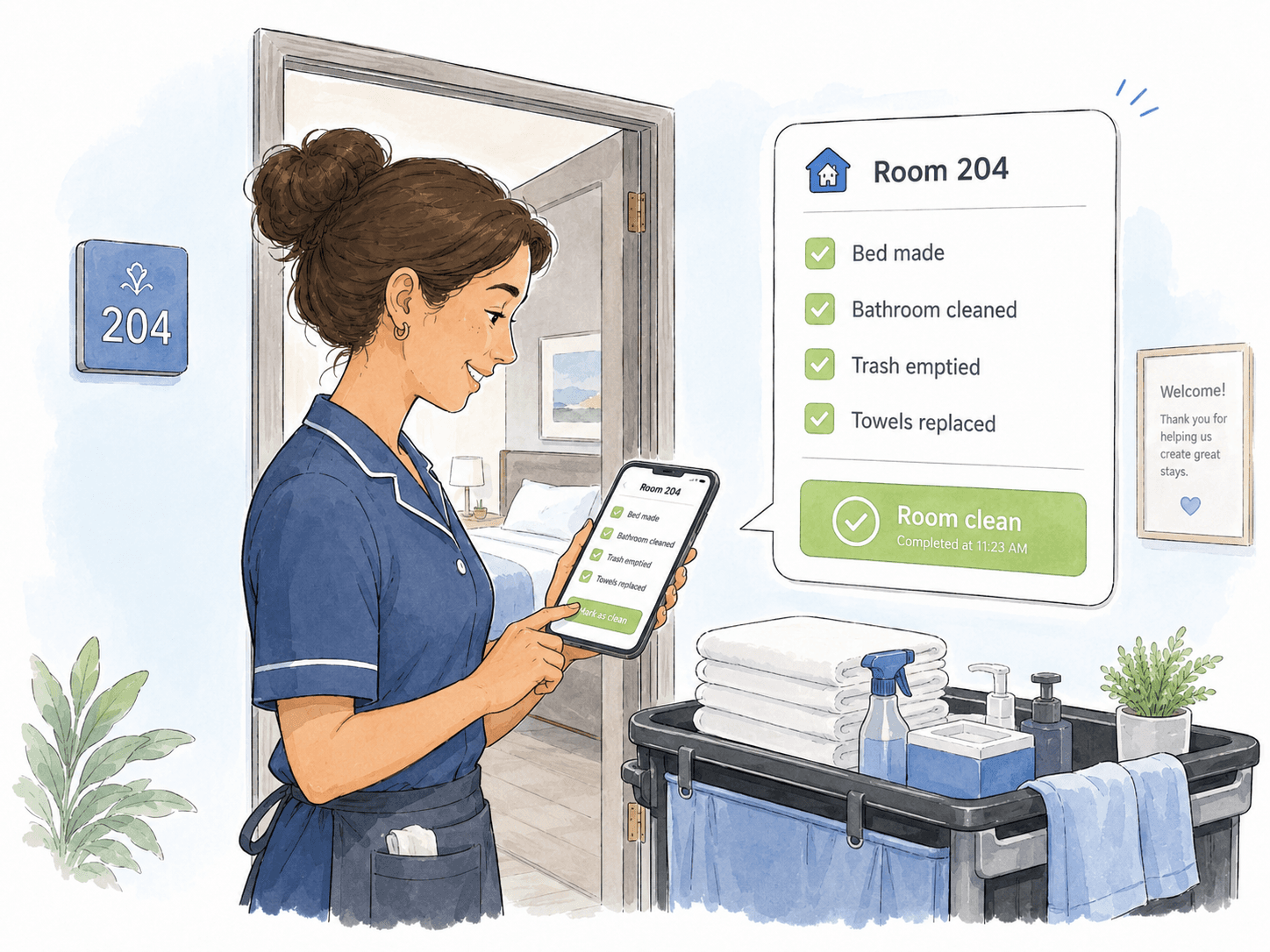
Cleaner marking a room as clean after completing a checklist in the app.

03

Cleaning confirmed with a checklist

The cleaner opens the room task and checks off every required step: the bed is made, the bathroom is cleaned, the trash is emptied, and the towels are replaced.

Once finished, the cleaner marks the room as clean. The owner or front desk immediately sees that the room is ready for the next guest - without extra checks or unnecessary messages.

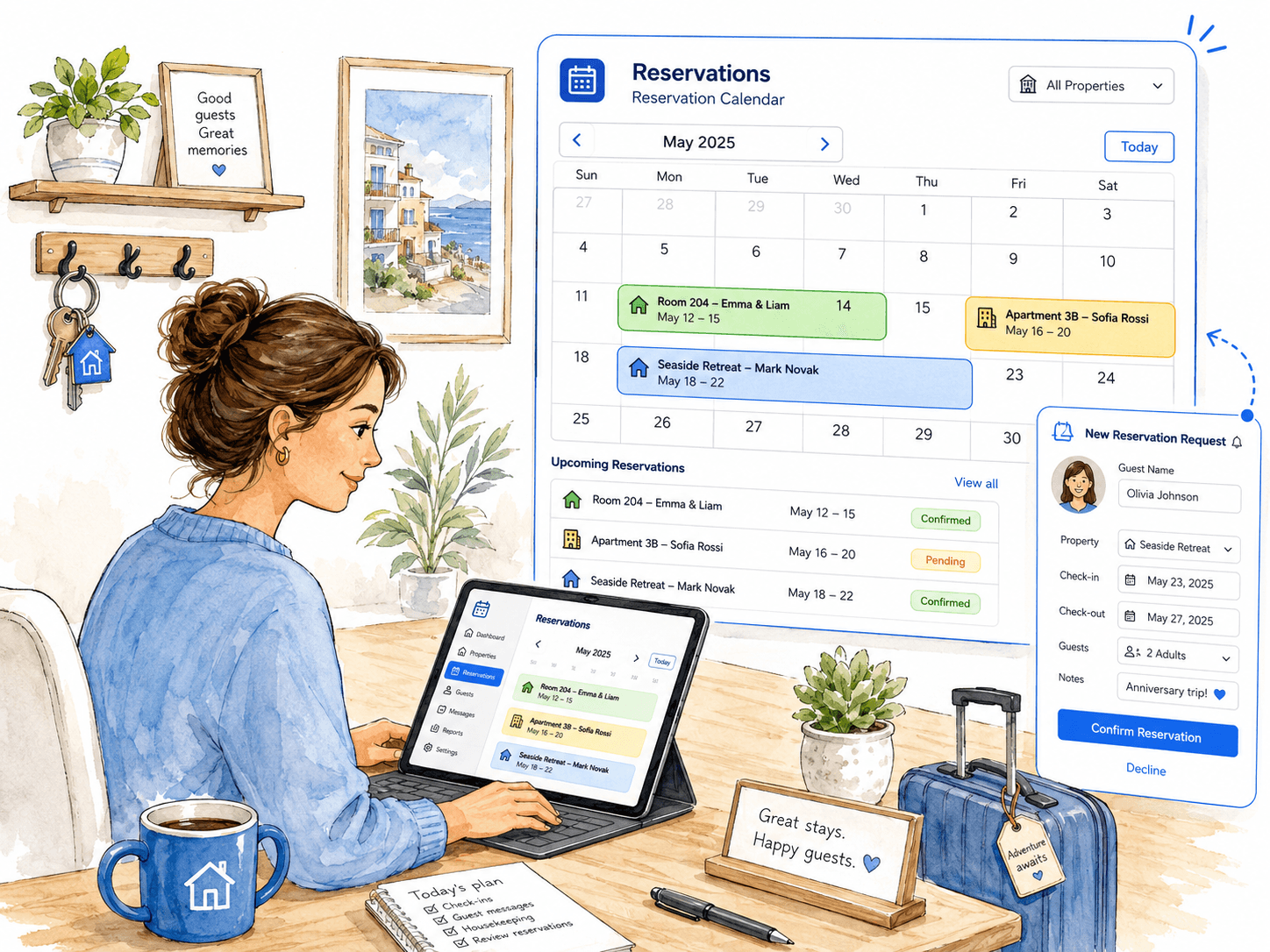
Property owner reviewing reservations and new booking requests in the app.

04

Reservations clearly organized in one calendar

The owner opens the reservation calendar and immediately sees which properties are booked, which stays are coming up, and which requests still need confirmation.

New reservation requests can be reviewed directly in the app, with guest details, dates, property information, and notes all in one place. This makes it easier to avoid double bookings, plan work around arrivals, and keep every stay organized from the first request to check-in.

Admin creating a multilingual guest guide and sharing it with a guest through a simple link.

05

Guest guide and FAQ in every guest’s language

The admin creates a digital guest guide with all important information in one place — Wi-Fi details, breakfast options, parking, house rules, local tips, check-in instructions, and check-out steps.

Because the guide can be prepared in multiple languages, guests can read the information in the language they understand best. Once it is ready, the admin simply shares it with the guest through a link, without sending long messages or repeating the same instructions again and again.

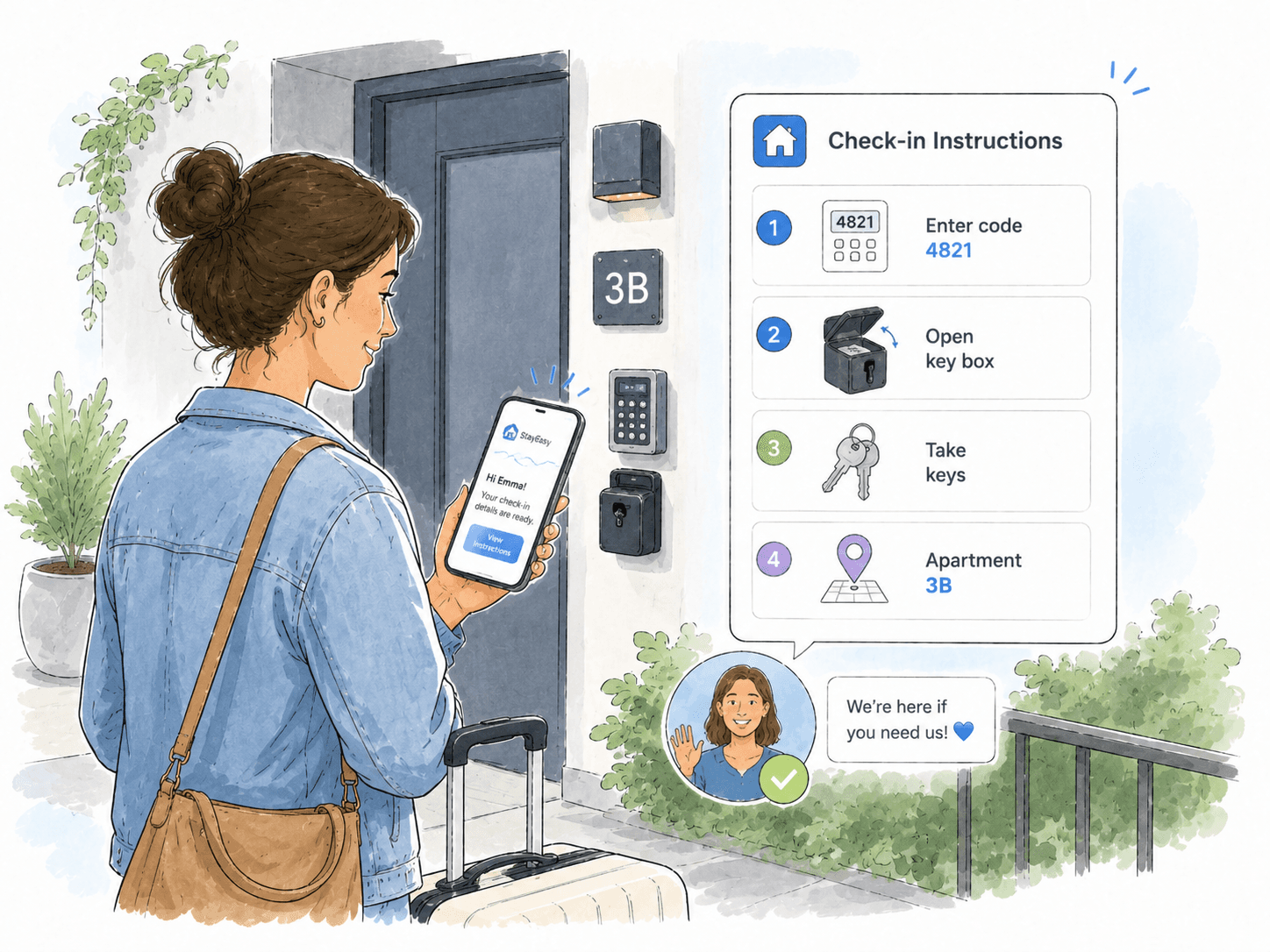
Admin creating check-in and check-out instructions with a key box access code and sending them to the guest.

06

Clear check-in and check-out instructions for every stay

The admin prepares check-in and check-out instructions directly in the app. The guest receives all the details before arrival — when they can enter, where to find the key box, which access code to use, and how to return the keys after check-out.

Everything is sent in a clear format that the guest can open on their phone. This reduces calls, avoids confusion at the door, and makes the arrival experience smoother even when the owner is not there in person.

Use cases

Explore focused workflows

Go deeper into the operational problems this industry page introduces.

FAQ

Property management questions

Common questions from owners, accommodation teams and property operators.

What property operations can Akeye organize?

Akeye can connect properties or accommodations with work orders, cleaning tasks, guest communication, check-in information and reservation-related work.

Can teams track maintenance and cleaning work?

Yes. Work can be created as Activities with status, priority, timing, responsibility, notes and checklists, keeping the operational history connected to the property unit.

Can guests receive information linked to their stay?

Yes. Property workflows can keep guest messages, service requests and check-in instructions connected to the appropriate accommodation or stay context.

Can reservations and operational tasks be viewed together?

Akeye can organize reservations around property units and help teams plan related work around arrivals, departures and availability. The exact setup follows the organization's reservation process.

CONTACT

Let's map your operations

Tell us what you manage today and where things get messy. We'll reply with a short product walkthrough tailored to your workflow.

Contact us