
Industries

Akeye for Business Services

Service-based businesses coordinate many small but important steps every day - when to contact a client, who is responsible for a business unit, what needs to be prepared by a certain date, and how the team stays aligned on the next steps.

Akeye helps teams keep client information, business units, activities, and internal communication organized in one place. Everything stays clear, actionable, and easier to manage without relying on scattered notes, emails, and chat threads.

User receiving a notification to contact a client.

01

When it is time to follow up, the app reminds you

The user receives a notification that it is time to contact a client. On the phone, they can immediately see which client it is, who the contact person is, and why the follow-up matters.

Instead of important calls or agreements getting lost among other tasks, the app makes sure next steps happen on time and no important client is overlooked.
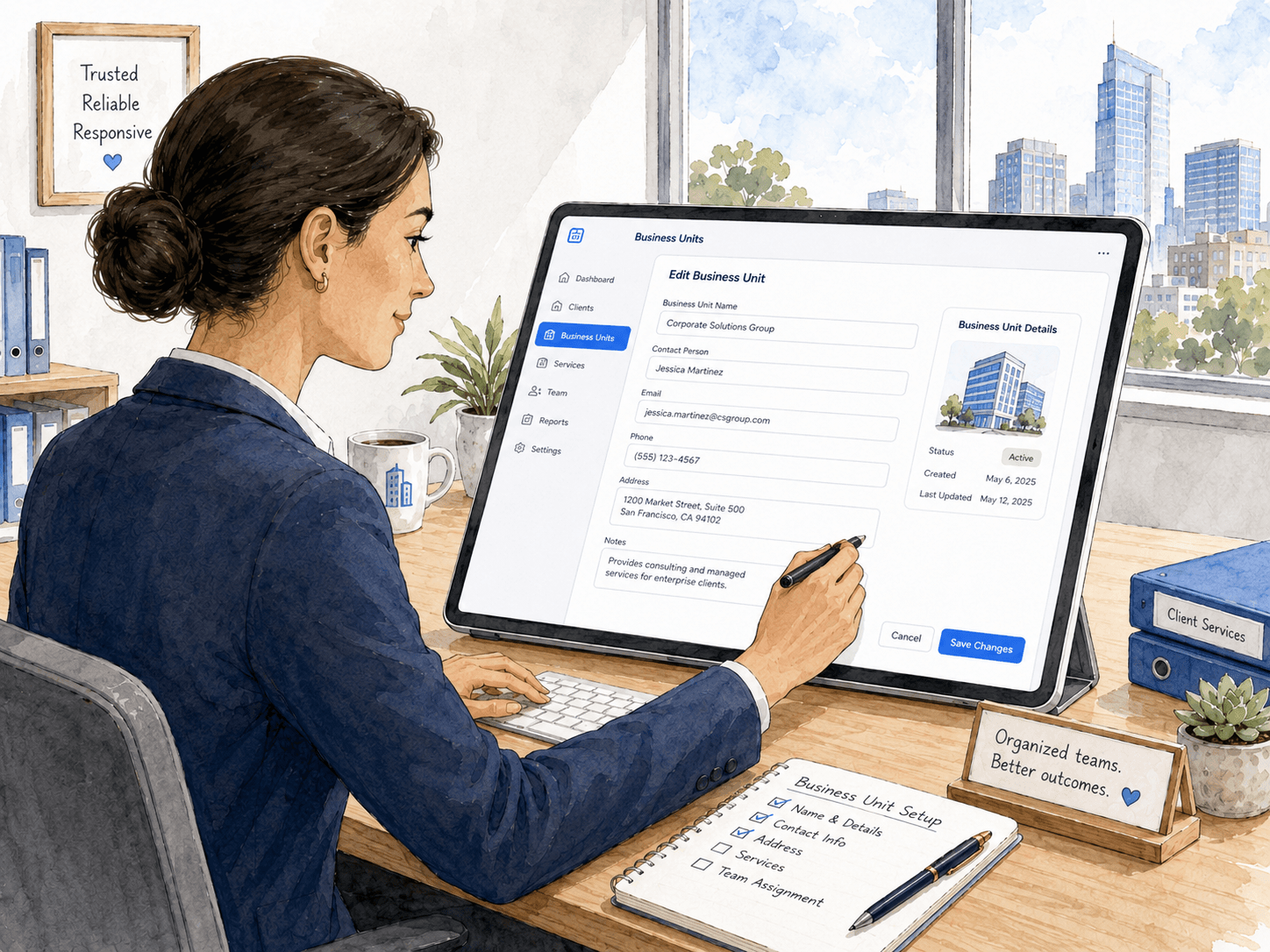
User entering contact person, address, and business unit details in the app.

02

Business unit information organized in one place

The user opens a business unit and enters key details such as contact person, email, phone number, address, and other important information.

This gives the team a clear overview of who the client is, where they are located, and which details matter for future work - without searching through emails, spreadsheets, or old documents.

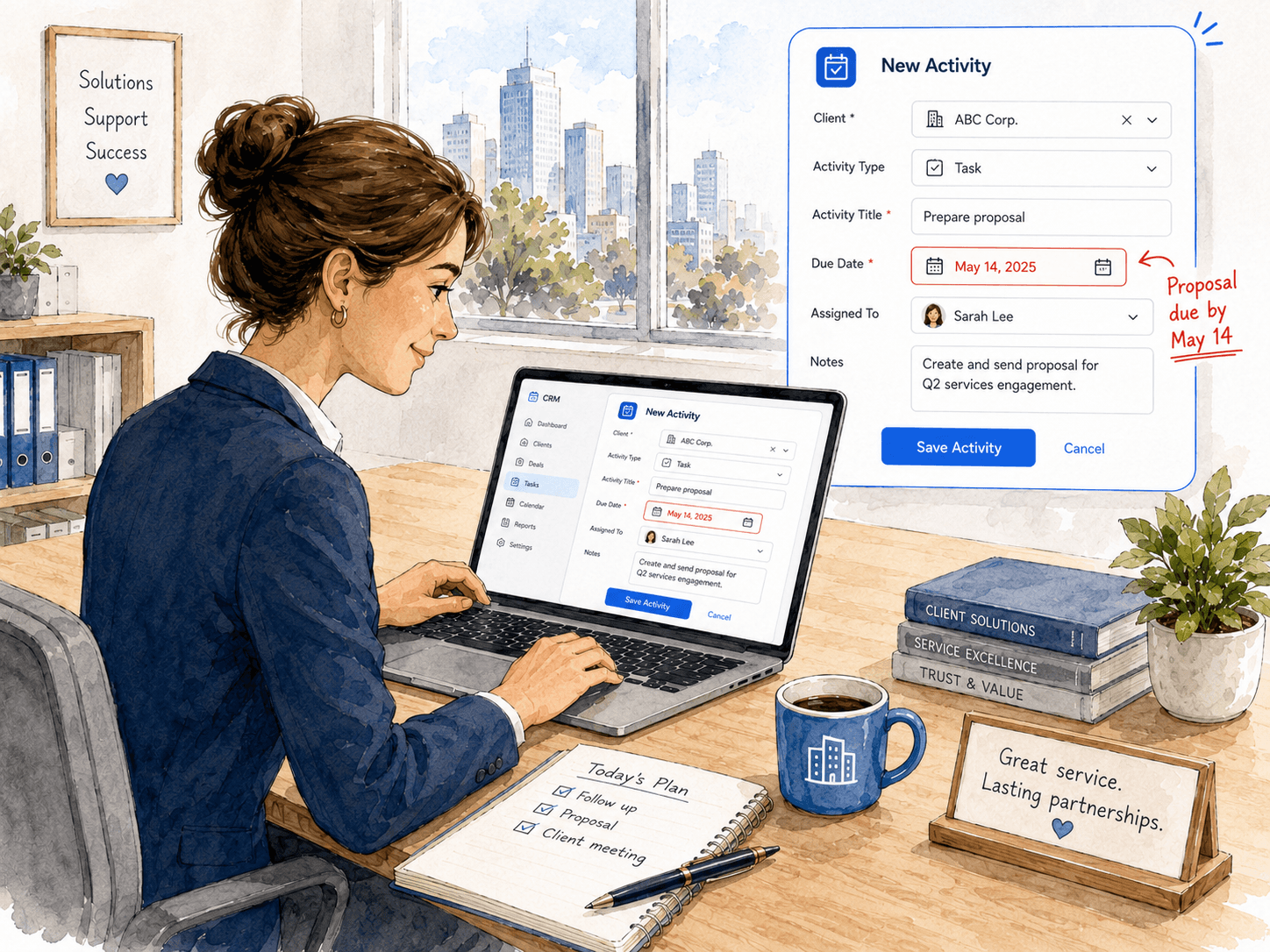
User creating an activity to prepare a proposal by a specific deadline.

03

Activities and deadlines are clearly defined

The user creates a new activity for a client and sets a clear goal - for example, preparing a proposal by a specific date. The activity can be assigned to the responsible person, with notes or additional instructions added when needed.

The team always knows what needs to be done, who is responsible, and by when it should be completed. This helps ensure proposals and other important tasks do not depend on memory or last-minute improvisation.

Coworkers discussing next steps for a client inside the app.

04

The team stays aligned around every client

Coworkers discuss the next steps for a specific client directly inside the app - what has already been confirmed, what is still open, and who will take over the next task.

Because communication is linked directly to the client or project, everyone understands the context immediately. Collaboration becomes clearer, duplicate work is reduced, and the next steps stay visible to the whole team.

Use cases

Explore focused workflows

Go deeper into the operational problems this industry page introduces.

FAQ

Business services questions

Common questions from service teams coordinating clients and deadlines.

How does Akeye organize client work?

Teams can structure client or business-unit records, add the details they need, and connect Activities, deadlines, responsible people and messages to that operational context.

Can Akeye remind a team about client follow-ups?

Yes. Follow-ups can be organized as scheduled Activities or reminders so the responsible person can see the client context and the next step.

Can work be assigned with deadlines?

Yes. Activities can define what needs to happen, who is responsible and when it is due, with notes and supporting context kept alongside the work.

Does communication stay connected to the client?

Akeye supports contextual communication so decisions and updates can remain linked to the relevant client, unit or Activity instead of being isolated in separate chat threads.

CONTACT

Let's map your operations

Tell us what you manage today and where things get messy. We'll reply with a short product walkthrough tailored to your workflow.

Contact us